 h5gamer.net
How to Master Rotation Physics, Vibration Jumps, and High-Altitude Climbs in Flipping Is Hard
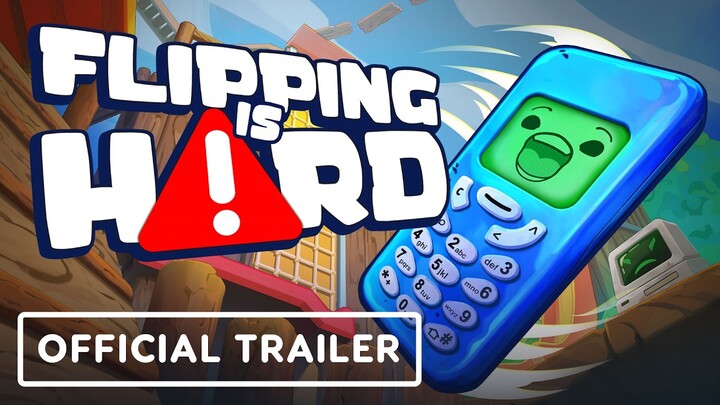
Precision platformers have long tested player patience, but Flipping Is Hard (developed by Elegant Horse Studios and published alongside Dawn Wood Games) elevates the genre's challenge by completely eliminating traditional movement legs. You play as Flippy, an indestructible smartphone accidentally yeeted down a storm drain after his owner, Little Jeff, slips on a strategically placed banana peel. To reunite Flippy with Jeff, you must climb back up through 10 surreal vertical biomes—ranging from subterranean drainage pipes and taped cardboard forts to frosted refrigerator shelves and crushing recycling cores.
Steam
Without legs, your entire moveset is restricted strictly to rotation torque, directional air control, and timed haptic vibration jumps. A single mistimed rotation or panicked input can send Flippy tumbling down hundreds of vertical meters, resetting painful minutes of climbing progress. Whether you are attempting a solo climb, braving the 32-player online co-op chaos, or speedrunning the ascent, mastering Flipping Is Hard requires a deep understanding of rigid-body physics and momentum control. This operational guide breaks down every technique, camera setup, and biome strategy needed to navigate the Trashlands and get Flippy back to Jeff.
1. How to Master Rotation Physics, Torque Vectoring, and Landing Alignment
The core foundation of movement in Flipping Is Hard rests on rigid-body rotational torque. Because Flippy lacks limbs, pressing forward or backward generates rotational force around his central axis rather than flat horizontal motion. The most critical factor to understand is Camera-Relative Vector Projection: pressing rotation keys applies torque perpendicular to your active camera view. If your camera is pitched at a diagonal angle, pressing forward rolls the phone diagonally off a ledge rather than straight ahead.
flippingishard.com
To land consistently, you must master the physics of angular momentum conservation. Flippy does not stop rotating the instant you release a key. Stopping a forward tumble mid-air requires applying a brief, calculated counter-torque tap in the opposite direction right before impact. Landing flat on Flippy’s broad face or back absorbs kinetic energy cleanly, whereas striking a ledge at a 10-degree angle causes an unpredictable edge ricochet that flings you into empty space.
Core Rotation Rules
- Align the Camera First: Always swivel your camera directly behind Flippy’s intended jump trajectory prior to applying rotational torque.
- flippingishard.com
- Brake with Counter-Torque: Tap the reverse directional key mid-air to halt high-speed spinning before contacting a narrow landing surface.
- flippingishard.com
- Pause Upon Touchdown: Rest for 0.5 seconds after a flat landing to let physics forces settle completely before charging your next jump.
- flippingishard.com
2. How to Execute High Jumps, Long Jumps, and Sprint Flipping
Flippy’s primary upward propulsion system is his internal vibration motor, which acts as a charged spring. Combining this vibration pulse with rotational angles unlocks three distinct jump archetypes: High Jumps, Long Jumps, and Sprint Flips.
flippingishard.com
To execute a High Jump A, bring Flippy to a complete standstill in a perfectly vertical stance resting on his narrow bottom edge. Release all rotation keys for a quarter-second and trigger the vibration pulse; this sends Flippy launching almost straight up. A Long Jump requires initiating forward rotational momentum from a flat lying position and releasing the vibration jump right as Flippy’s body tilts past the 45-to-60-degree angle mark, converting vertical lift into long-distance horizontal arc velocity.
Advanced Jump Execution Techniques
- High Jump (Max Altitude): Stand vertical, release directional keys completely for 0.25 seconds, and tap the vibration jump.
- Long Jump (Gap Crossing): Rotate forward from a flat position and trigger your jump pulse at a 45-degree forward tilt.
- Sprint Flipping: Continuously roll Flippy along his narrow long edge while timing rhythmic vibration pulses each time his flat base makes contact with the ground.
3. How to Master Wall Jumps, Ledge Hopping, and Momentum Braking
As you ascend into higher biomes, vertical surfaces become mandatory climbing paths rather than obstacles. Because wall contact resets your jump timer, you can climb sheer vertical surfaces using rhythmic Wall Jumps.
To carry out a basic Wall Jump, launch a High Jump into a vertical wall at a slight 15-degree inward tilt. As Flippy flattens against the wall surface, immediately press the jump input again to gain a secondary vertical boost. You can chain up to three consecutive wall bounces before physics forces push Flippy away from the surface.
When landing after an explosive launch, preventing accidental over-travel is vital. Triggering a vibration pulse right as Flippy makes first contact with a flat floor acts as an instant Momentum Brake, killing all horizontal drift velocity instantly and locking him safely in place.
4. How to Navigate the 10 Vertical Biomes from Storm Drain to Summit
The Trashlands climb is broken down into 10 distinct vertical biomes, each featuring unique visual themes, environmental hazards, and surface friction values. Progressing demands adapting your jumping style to the physical properties of each environment.
flippingishard.com
Early biomes like The Storm Drain and Cardboard Fort feature forgiving, high-friction surfaces ideal for learning basic torque and jump timing. Mid-tier zones like Candyland introduce high-rebound gelatin trampolines that require zeroing out your active rotation inputs to avoid bouncing uncontrollably into hazard zones. High-altitude zones like The Fridge feature near-zero surface friction, where even a 1-degree landing offset causes Flippy to slide uncontrollably off the edge.
Biome Environmental Hazards
Biome ZonePrimary Physical HazardRecommended Tactical ApproachZone 01–02: Storm Drain & Cardboard FortNarrow tape bridges & rusted pipe dropsUse slow neutral High Jumps; practice 0.5s landing pauses.Zone 03–04: Playground & CandylandBouncy gelatin trampolines & swing gapsRelease rotation inputs entirely during trampoline contact.Zone 05–06: Toy Chest & The GridMoving clockwork gears & reverse-gravity currentsTime jumps to match gear teeth openings; land flat on trace nodes.Zone 07–09: The Fridge & Recycling CoreZero-friction frost & hydraulic trash compactorsUse Vibration Braking instantly upon landing on frost shelves.
5. How to Utilize Beams, Microwaves, and Mechanics in 32-Player Co-Op
While Flipping Is Hard offers a brutal solo test, its online multiplayer mode allows up to 32 players to climb the Trashlands together. In Co-Op mode, players can utilize unique environmental utilities like Beams and Microwaves to launch teammates across massive gaps or rescue friends stuck on lower perches.
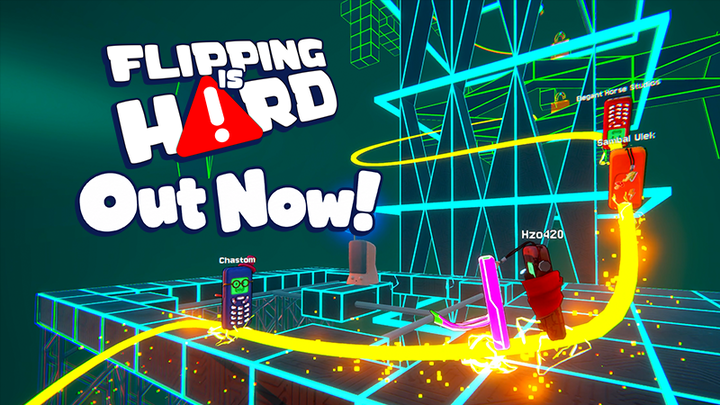
"In co-op, a good friend acts as a platform shield to catch your worst falls; a chaotic friend uses a Microwave to yeet you all the way back to the Storm Drain."
Cooperative play introduces physical collision push strength between players. When climbing narrow vertical chimneys, stagger your team's launch order. If 10 players attempt to High Jump through a single gap simultaneously, their phone bodies will ricochet off one another, sending the entire group falling back down the mountain. Coordinate launch timing using proximity voice chat to keep climbing corridors clear.
Steam Community
6. How to Use Chill Mode and Master Speedrun Skips
For players who want to experience Flippy's narrative journey back to Jeff without suffering severe fall penalties, the game provides an accessible Chill Mode. Chill Mode introduces active checkpoints throughout each biome, ensuring that a bad fall only resets you to the nearest safety bench rather than sending you down multiple zones.
Chill Mode vs. Speedrun Workflow
- Learning Routes in Chill Mode: Use Chill Mode for your initial playthrough to learn platform placements and practice complex wall jumps risk-free.
- Flipping Is Hard Training & Speedrun Hub
- Mastering Corner Skips: In The Playground (Zone 03), execute a high-speed Wall Jump off the side of the central Pyramid to bypass the wooden climbing tower entirely.
- Spring Trap Launches: Jump immediately after hitting spring traps to double your upward launch velocity and clear structural roofs.
7. How to Complete NPC Side Quests and Unlock Phone Drip
Scavenged throughout the 10 biomes are 16 unique NPC characters who offer specialized movement challenges. These side quests test specific technical skills—such as landing 5 consecutive edge jumps without falling or executing a triple wall-climb in under 10 seconds.
Completing NPC challenges rewards players with cosmetic items in the Fashionista Flippy menu. You can customize Flippy with custom phone cases, phone charms, decorative back stickers, and unique screen wallpapers. In addition to cosmetics, completing certain NPC quests unlocks mini-games directly playable on Flippy's internal phone screen.
Steam Community
Customization Unlock Checklist
- Phone Cases: Earned by clearing all NPC challenges within a specific biome region.
- Hanging Charms: Unlocked by completing optional precision landing trials on isolated perches.
- Sticker Decals: Awarded for reaching secret out-of-bounds exploration nooks.
8. How to Optimize Camera Sensitivity and Control Schemes for Precision
Because torque inputs depend on your active camera perspective, optimizing your camera control settings is essential for high-altitude climbing. Low camera sensitivity is recommended for beginners, as it prevents sudden camera jitters from shifting your torque vector mid-jump.
flippingishard.com
Enable the Camera Comfort and Center Alignment toggles in the visual options menu. These settings keep the camera locked directly behind Flippy during vertical climbs, ensuring that pressing the forward key consistently translates into straight forward momentum without requiring constant manual mouse adjustments.
flippingishard.com
9. How to Recover After a Major Fall and Prevent Fall Rage
Falling is an inevitable part of the experience in Flipping Is Hard. When a jump fails high up the mountain, panicked button mashing during the descent usually makes the fall worse, causing you to bounce off intermediate ledges and tumble all the way back to Zone 01.
When you feel yourself falling, immediately stop mashing rotational keys. Instead, pitch your camera straight down to scan for wide recovery platforms in the biome below. As you approach a lower ledge, align Flippy flat against the incoming platform surface and trigger your vibration brake upon contact to catch yourself and halt your fall.
10. How to Defeat the Final Climb and Reunite Flippy with Little Jeff
The final stretch of the climb takes place in Zone 10: Secret Summit. This climax combines every mechanic learned throughout the game—requiring zero-friction ice landings, precise wall jumps, and timed vibration launches off moving hazards.
Final Summit Execution Steps
- Clear the Recycling Core Chimney: Execute three consecutive high wall jumps up the narrow trash chute to reach the summit hatch.
- Navigate the Summit Ridge: Perform a series of cautious, short-distance Long Jumps across the final narrow fence posts.
- The Final Leap to Jeff: Stand fully vertical on the final ledge, wait for the wind effect to settle, charge a maximum High Jump, and vault into Little Jeff’s open hands to trigger the final story ending.
Conclusion: Reaching the Peak Against All Odds
Mastering Flipping Is Hard is an ultimate test of patience, spatial awareness, and precision physics control. By taking away standard character legs and forcing players to rely entirely on rotation torque and vibration jumps, Elegant Horse Studios created a delightfully frustrating yet immensely satisfying precision platformer. Success is not achieved through rushing, but through calm camera management, mastering counter-torque brakes, and learning from every fall.
As you guide Flippy out of the dark storm drain and up through the Trashlands, embrace every fall as a learning opportunity. Calibrate your camera, refine your wall jumps, coordinate with your co-op friends, and make that final leap back into Jeff's hands.
Master rotation torque, vibration jumps, wall climbing, and fall recovery to guide Flippy to the summit and back to Jeff in Flipping Is Hard.